
Image optimization in Cursor
Compress, resize, upscale, and generate SEO metadata — right from your editor.
git clone https://github.com/onepunchtechnology/tinify-ai-plugin .cursor-plugins/tinify-aiLoad as a project plugin in Cursor.
No signup required. Start with 20 free credits/day.
See it in action
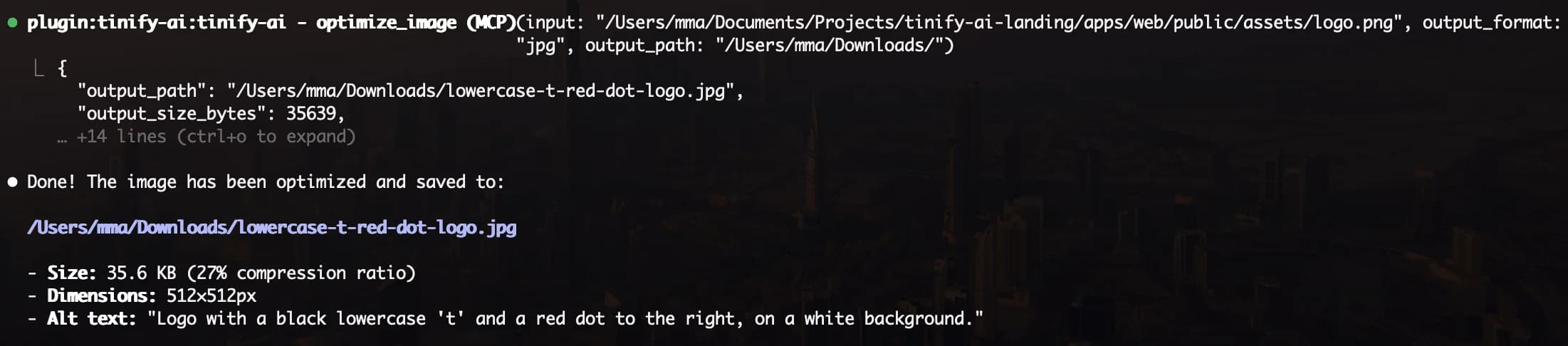
tinify.ai plugin optimizing project images — audit, compress, and report in one prompt.
What you can do
Batch Optimize
Audit file sizes, pick optimal formats, compress everything.
Fix Image SEO
Find missing alt text, generate AI-powered metadata, apply fixes.
Boost Performance
Audit Core Web Vitals, fix LCP, CLS, and lazy loading issues.
Generous free tier. Scale when you need to.
Start here — no signup, no credit card. See full pricing →
Frequently Asked Questions
Yes, Node.js 18+ is required. The plugin runs the MCP server locally via npx.
No. You get 20 free credits/day as a guest with no account needed. Register for free to get 50/day, or upgrade for more. Use the login tool to authenticate.
Yes. The plugin runs locally via stdio and can access any file on your machine. Just pass an absolute path or let the skills find images in your project.
Input: JPG, PNG, WebP, AVIF, GIF (animated), HEIC, TIFF, BMP, SVG, ICO (max 50 MB). Output: JPG, PNG, WebP, AVIF, GIF, SVG, ICO. Convert between any input and output format. Animated GIFs are fully supported — each frame is optimized individually.